KNOWLEDGE CENTER
Trust starts
with understanding.
Go beyond marketing claims. Explore the official walkthrough, documentation and product explanations to understand how SB-ITM is designed to operate.
Explore the library ↓START WITH THE REAL SYSTEM
Understand the real operating workflow.
The video section explains the operating workflow. The 17-minute demonstration is available on request from SB-ITM.
Explore the video walkthrough ↗EXPLORE THE LIBRARY
Find the information you need.
Explore 11 original SB-ITM guides in PDF format, the official video walkthrough and supporting product pages. All downloadable guides are in English.
SB-ITM Ecosystem — video overview
Follow the real operating model: market preparation, execution, protection and monitoring.
Explore video options ↗Referral Program — benefits and conditions
Understand the 20% advantage for eligible referred subscribers, the 5% reward per active paying referral and the maximum combined discount of 50%.
Open PDF · 2 pages ↗Trading Ecosystem Presentation
An extensive introduction to SB-ITM architecture, Control Center, workflows, trading bots, risk management and monitoring. June 2026 edition.
Open PDF · 61 pages ↗Interactive Brokers — Account Setup Guide
Prepare your IBKR account for SB-ITM: verification, account security, market-data subscriptions, API access and PAPER readiness.
Open PDF · 24 pages ↗Managed VPS Services
How the dedicated Windows VPS service is structured, maintained and supported, with a consistent operational environment. June 2026 edition.
Open PDF · 13 pages ↗VPS First-Start Guide
Detailed first-use procedures for the VPS, Control Center, system parameters, startup checks, bot workflows and support.
Open PDF · 88 pages ↗IBKR — Tiered Commission Pricing
How to check and select the IBKR Pro Tiered commission structure for US equities, with pricing considerations. September 2026 edition.
Open PDF · 2 pages ↗Scan A — Scoring Matrix Guide
A client-friendly explanation of how Scan A evaluates and ranks swing candidates across BULL, RANGE and DEFENSIVE market modes.
Open PDF · 10 pages ↗Scan B — Scoring & Setup Selection
How Scan B filters, classifies and validates swing setups and distinguishes WATCH, READY and VALIDATED candidates.
Open PDF · 8 pages ↗Watchlist File Update — Quick Guide
Learn how to open, update and save the CSV watchlist used by the Scan Bot without changing its required structure.
Open PDF · 6 pages ↗Check Keyboard Layout — Quick Reference
A one-page illustrated reminder to verify the Windows keyboard layout before entering IBKR credentials on the VPS.
Open PDF · 1 page ↗How to Request Support
Step-by-step instructions for generating a Support ZIP, describing an incident and contacting SB-ITM support.
Open PDF · 5 pages ↗Swing & Intraday engines
Compare the two strategies and how they work within the same ecosystem.
Explore engines ↗Managed SB-ITM Ecosystem
Learn about the complete managed infrastructure and how to discuss your requirements.
Contact SB-ITM ↗No matching resources. Try a broader search or a different category.
FREQUENTLY ASKED QUESTIONS
Good questions deserve clear answers.
No. SB-ITM is a coordinated ecosystem with distinct components for market preparation, trading strategies, protective logic, monitoring and reporting.
The full SB-ITM Ecosystem is designed to operate with Interactive Brokers. Brokerage accounts, permissions and market data are managed by the account holder.
It brings together market preparation, Swing and Intraday engines, configurable risk controls, portfolio monitoring, reporting and a managed VPS operating environment.
No. Stop orders, trailing mechanisms and monitoring may reduce certain operational burdens, but market gaps, slippage, order execution and connectivity problems can still cause losses.
Start with the video overview and official Documentation Center. The 17-minute demonstration can be requested directly from SB-ITM.
STILL EXPLORING?
See the details before making a decision.
Watch the demonstration, read the documentation, and contact SB-ITM when you are ready to discuss your needs.
REPORTING ENGINE / REAL PDF OUTPUT
An actual report, from overview to trade detail.
Explore four pages from the Closed Trades Report generated for 9 November 2026. Select any page to view the original screenshot at full size.
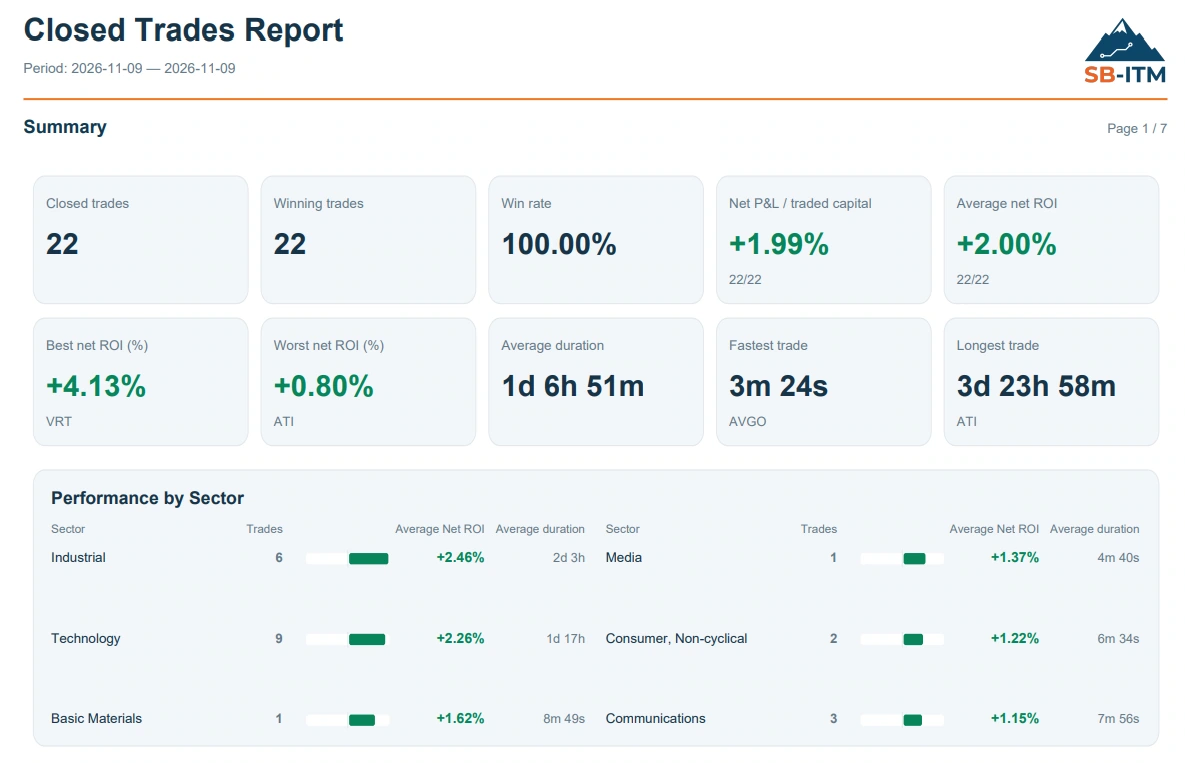
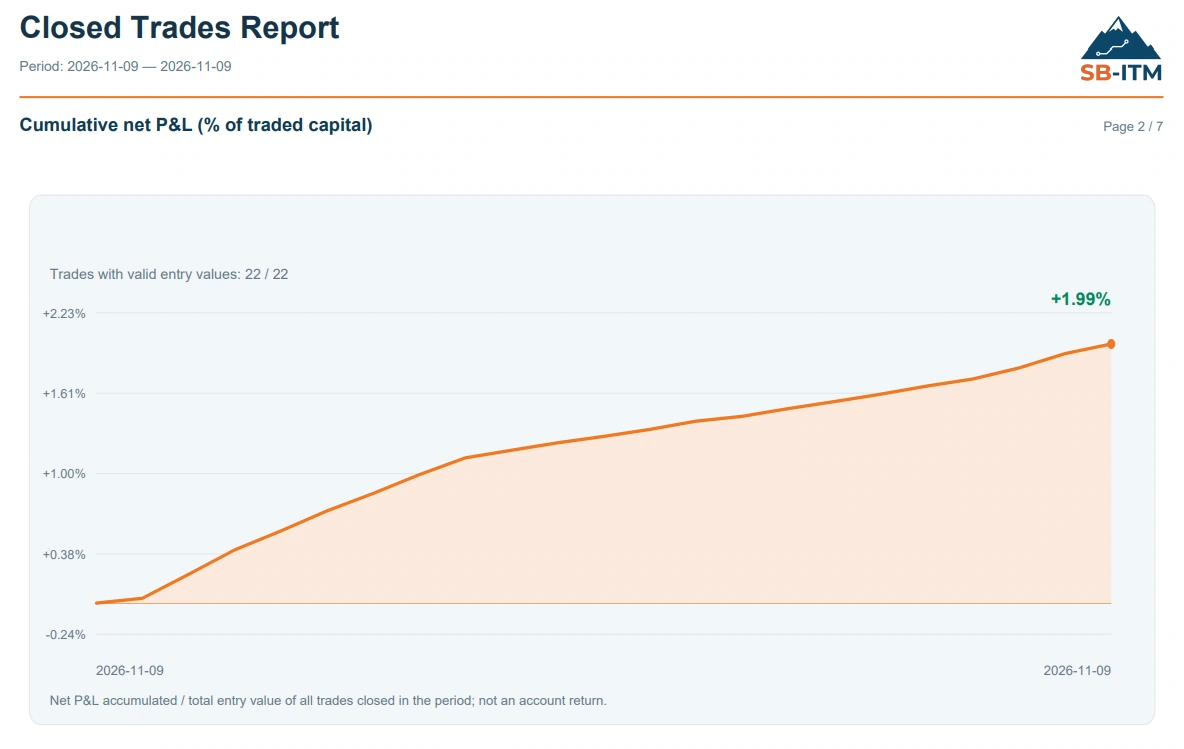
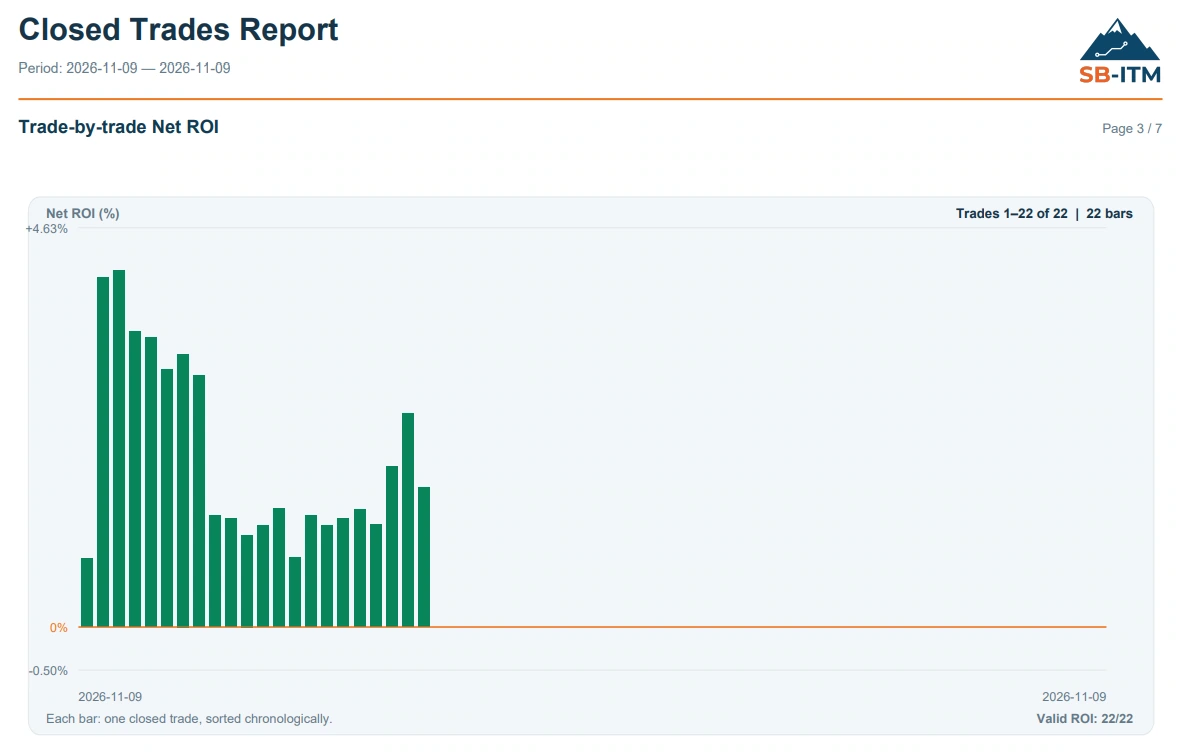
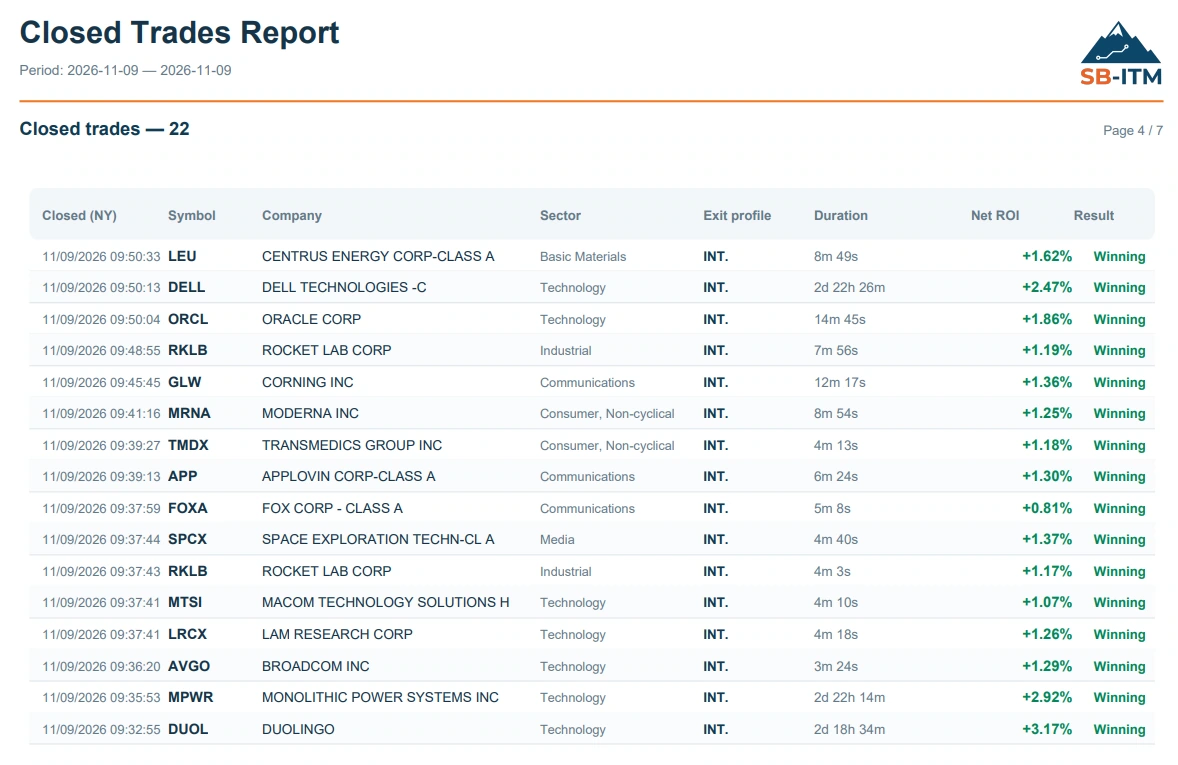
Illustrative historical snapshot: 22 closed trades, 22 positive outcomes and +1.99% net P&L relative to traded capital for the selected period. This is a single-period example, not an account return, long-term performance record or a forecast. Losses remain possible; results are not independently audited here. The document screenshots are shown in English.