Clarity before action
Market-regime analysis, candidate scoring and decision workflows help organize the information that precedes an entry.
SB-ITM · AUTOMATED TRADING ECOSYSTEM
Market intelligence, two specialized trading engines, automated protection and operational monitoring—designed to work together in one managed environment for Interactive Brokers.
Trader-defined parameters · US equities · Managed Windows VPS
WHY THE SYSTEM EXISTS
From the first market scan to the final portfolio report, the operational details matter. SB-ITM brings those steps into a more structured and observable process.
Market-regime analysis, candidate scoring and decision workflows help organize the information that precedes an entry.
Configured rules and position-sizing constraints help make eligible execution more consistent, without removing trader responsibility.
Risk processes, portfolio monitoring and reporting help you understand what the system is doing—and why.
THE SB-ITM OPERATING MODEL
Regime assessment and structured US equities screening.
Scoring, eligibility and decision preparation.
Swing or Intraday execution under configured limits.
Protective logic, Watchdog oversight and reporting.
TWO SPECIALIZED ENGINES
A multi-day strategy and a shorter-horizon strategy should not behave identically. SB-ITM gives each engine a distinct role within one coordinated environment.
Structured screening and decision logic support positions that may develop across several sessions, with risk and position monitoring throughout their lifecycle.
Compare both engines ↗An intraday workflow focused on defined entry conditions, active oversight and disciplined use of available capital. Capital rotation is an operational objective—not a guarantee of greater returns.
Compare both engines ↗THE COMPLETE SB-ITM EXPERIENCE
An operational environment designed to bring trading engines, risk processes and technology supervision together—instead of assembling separate tools.
Managed VPS, controlled execution, automated protective logic, monitoring, reporting and support in one coordinated offering.
Ask about the ecosystem ↗Two specialized trading engines, an automated decision workflow, configurable protections, Watchdog supervision, reporting and an accessible Control Center.
Explore the architecture ↗CONTROL CENTER / PRODUCT DEMONSTRATION
Actual screens show how activity, portfolio metrics and generated reports are presented in one supervised environment.
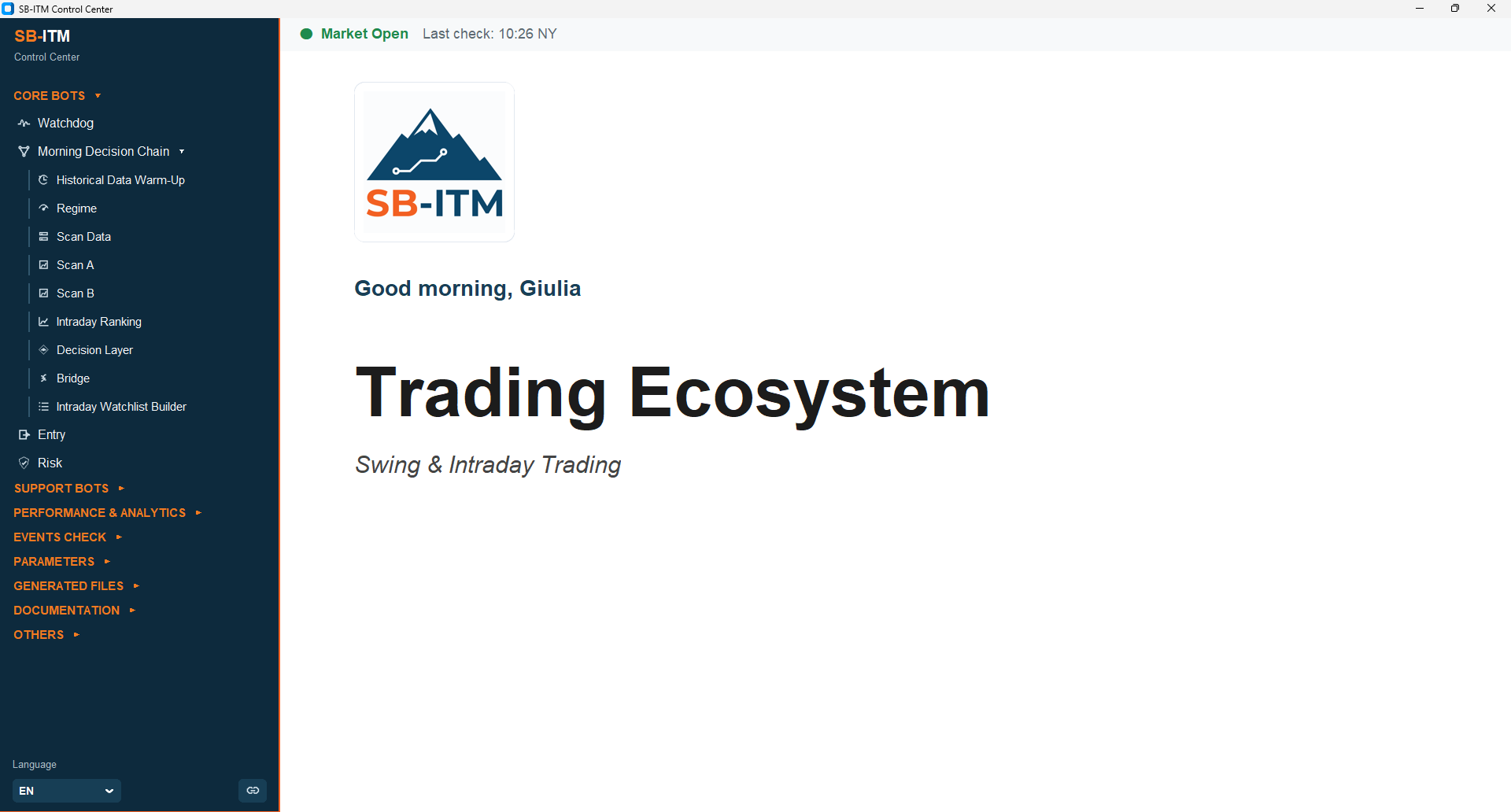
The Control Center addresses each user personally and organizes the key bots, trading workflows, parameters, monitoring, reports and documentation in one environment.
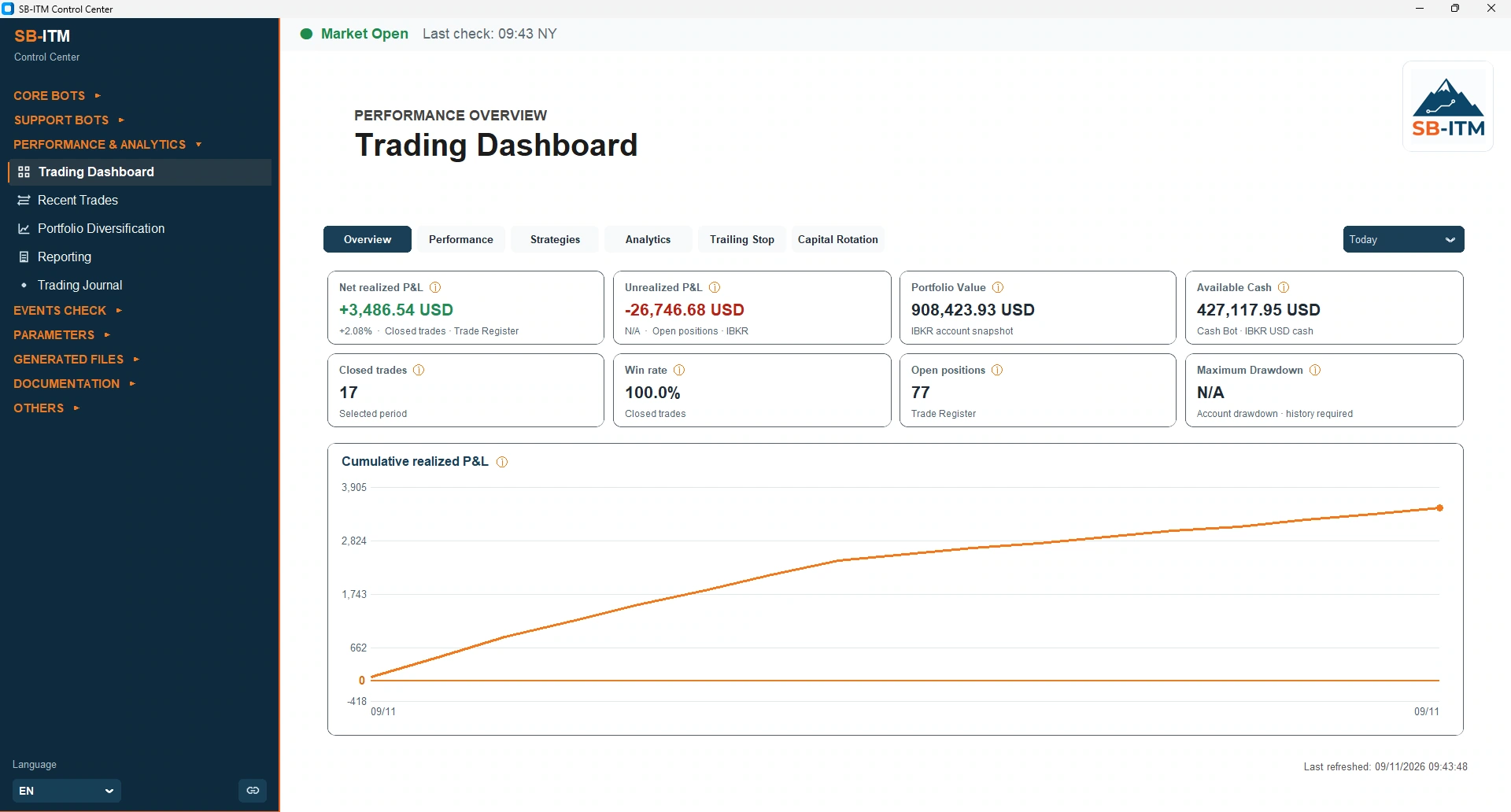
The Trading Dashboard brings together the selected period, realized and unrealized results, portfolio value, cash and activity metrics. These indicators are visible without manually opening log files.
Select a period and generate reports in HTML or PDF, with dedicated views for trade outcomes, durations, risk-related statistics and portfolio evolution.
Explore the reporting examples ↗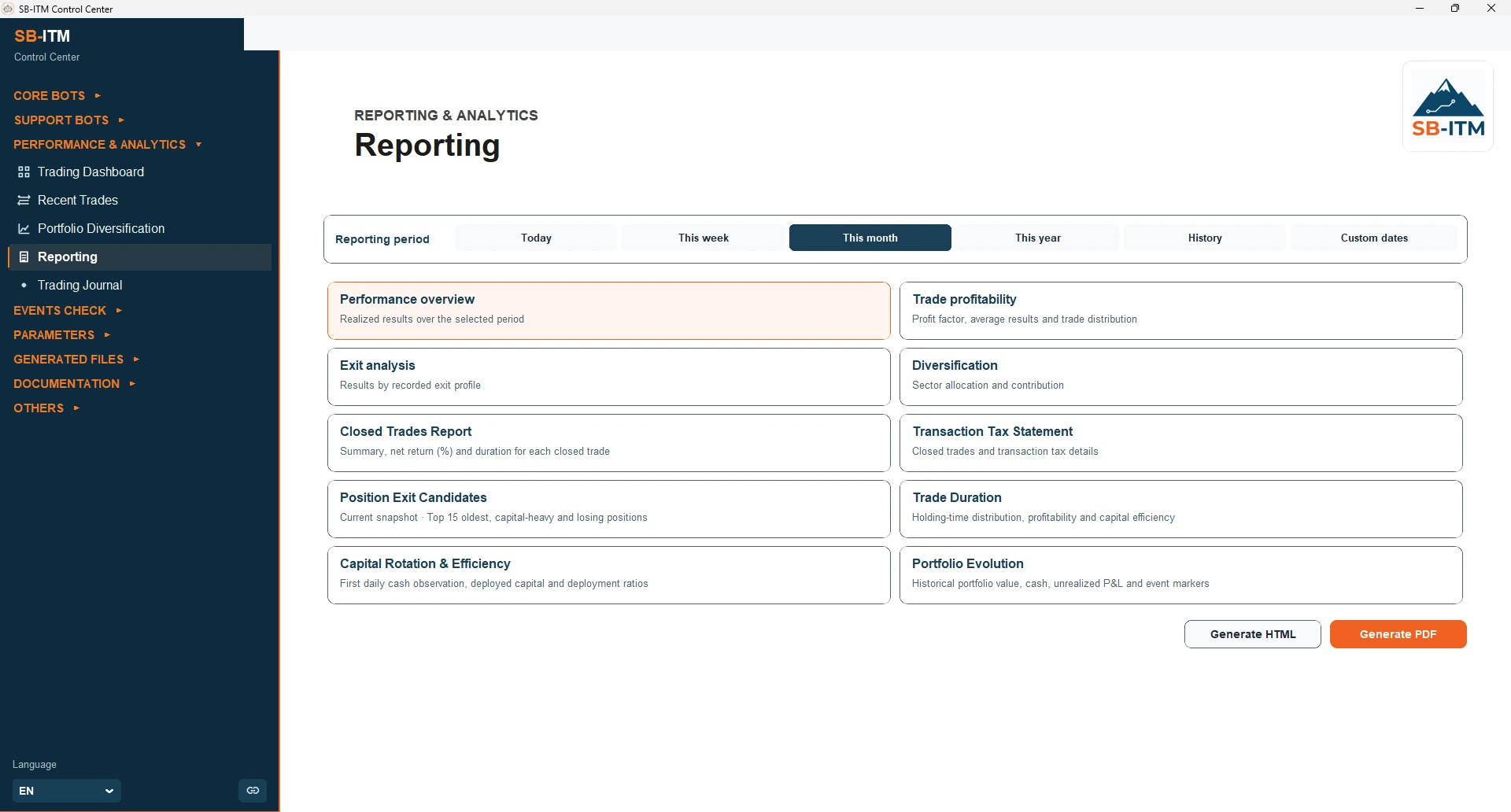
SUBSTANCE OVER PROMISES
Real demonstrations and official technical documents are a better starting point than claims about future market performance.